GPX track viewer and 3D path replay
Drop in a .gpx track from a phone tracker, a handheld GPS or a GPS-only logger and RawenView flies the recorded path over real 3D terrain. Be aware of what GPX is before you upload: it carries position, elevation and time and nothing else, so this is a GPS path viewer rather than the full flight-data replay you get from a dataflash log or a ULog.
Supported files: .gpx.
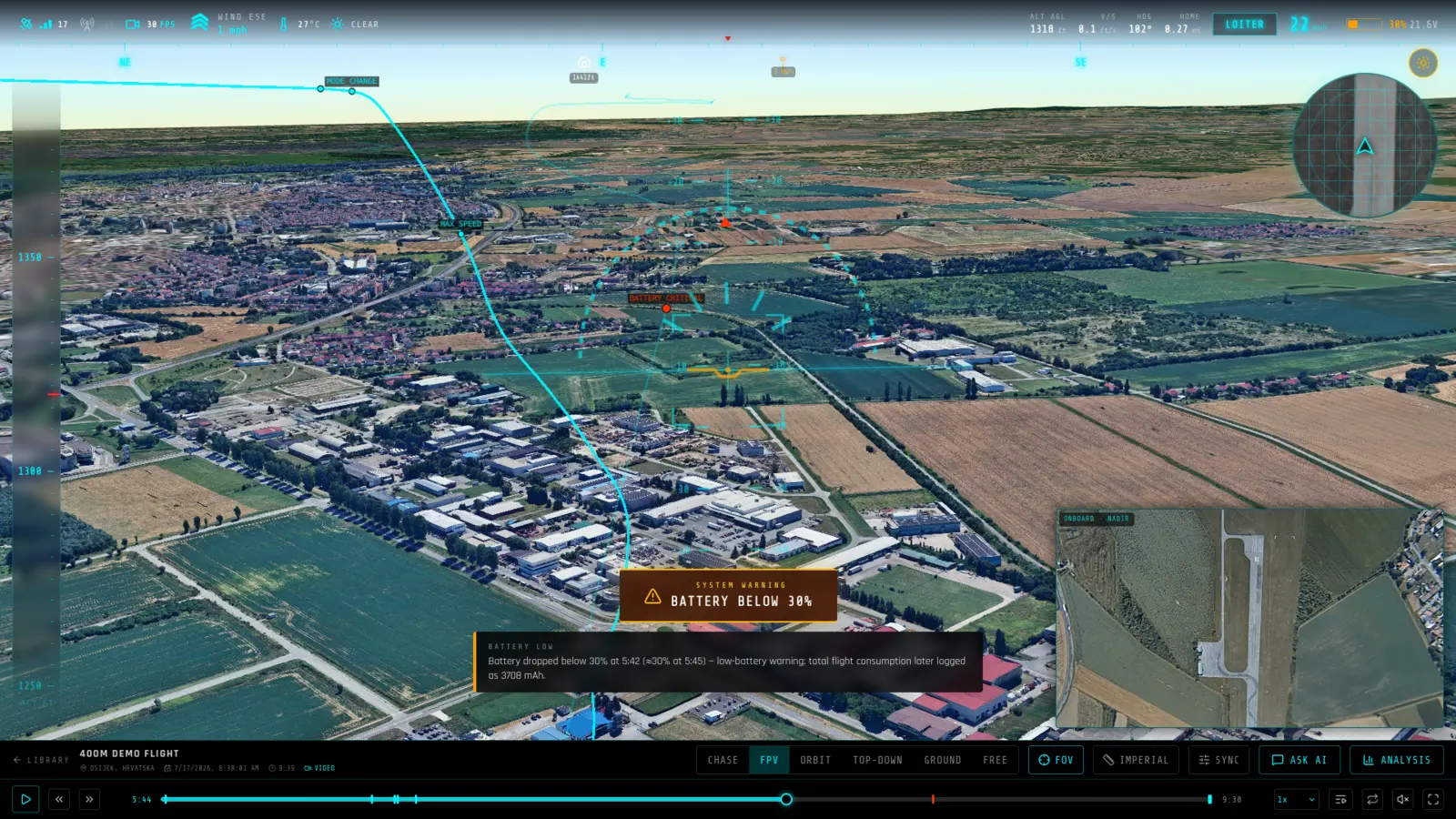
What you get from a GPX log
- The path, over real terrain — Every recorded point is placed on real elevation data, so you see the track against the ground it actually crossed rather than a flat line on a map.
- Multi-track files merged safely — Files bundling several trips are joined into one path, and the seams between originally separate segments are recorded so nothing draws a fake straight line across a gap that never happened.
- Honest about what is missing — Roll and pitch are held level and heading is derived from the bearing between points, because GPX has no orientation sensor. Nothing is presented as recorded when it was inferred.
Frequently asked questions
- What does a GPX track actually contain?
- Latitude, longitude, elevation and a timestamp per point, plus sometimes satellite count and HDOP. No attitude, no battery, no motor outputs, no velocity and no arm or disarm events — those simply are not in the format.
- Why does the aircraft stay level in the replay?
- Because GPX records no orientation. Roll and pitch are held at zero and heading is the great-circle bearing to the next point, which behaves like a compass heading and gets noisy at low ground speed. It is synthesized, not recorded, and we would rather say so than fake a bank angle.
- Why does playback not match the timestamps in my file?
- Deliberately. Route exports from trip planners and trail databases routinely carry stale or out-of-order timestamps — one real file had a single track spanning a decade. Trusting those would make the replay as long as the file claims. Playback is paced at a steady assumed speed along the recorded distance instead, and only the first timestamp is kept, as a wall-clock anchor for weather and the report date.
- Should I use GPX if I have another log?
- No. If your aircraft wrote a dataflash .bin, a ULog or a tlog, upload that instead — you get real attitude, battery, motor outputs and events. GPX is for flights where a GPS track is all that was kept.
- Do I need to install anything?
- No. RawenView runs entirely in the browser — you upload a log file and the replay loads in the same tab. There is no desktop application and nothing to keep updated.
- Is it free?
- Yes, to start. The free tier covers 2 GB of storage, 2 flights and 20 AI questions per month, and does not ask for a card. Paid plans raise those limits; every plan includes the full replay and analysis toolset.
- Are my flights public?
- No. Flights are private by default and only visible to you. You can make an individual flight public, which produces a shareable link anyone can open without an account.